Main Body
Chapter 9 • Tables
Tables consist of a series of rows and columns that are created with nested tags. The easiest way to get table information into Dreamweaver is to get the information in Excel or Numbers, export to comma-separated values (.csv), and import into Dreamweaver (File > Import > Tabular data).
Table Tags
| Table Tags |
||
| Tag | Explanation | Comments |
| <table> | table tag | |
| <tr> | table row | The table must have at least one row to appear on the page. |
| <td> | table data | Cells—the table must have at least one cell to show up. Note: There is no column tag; the columns are determined by cell order. |
| <th> | table header | default style is bold and centered |
| <thead> | header, top rows of table | optional tag |
| <tbody> | body rows | optional tag |
| <tfoot> | footer, bottom rows, of table | optional tag |
| <td colspan=”3″> | enables spanning columns | tag modifier to merge cells, e.g., in title |
Sample Table HTML
The following HTML code creates numbered rows and columns to illustrate the structure of a table.
<table>
  <tr>
    <th colspan="3">Sample Table</th>
  </tr>
  <tr>
    <th>Column 1</th>
    <th>Column 2</th>
    <th>Column 3</th>
  </tr>
  <tr>
    <td>Row 1, Column 1</td>
    <td>Row 1, Column 2</td>
    <td>Row 1, Column 3</td>
  </tr>
  <tr>
    <td>Row 2, Column 1</td>
    <td>Row 2, Column 2</td>
    <td>Row 2, Column 3</td>
  </tr>
  <tr>
    <td>Row 3, Column 1</td>
    <td>Row 3, Column 2</td>
    <td>Row 3, Column 3</td>
  </tr>
</table>
The above HTML renders as follows:
| Sample Table | ||
|---|---|---|
| Column 1 | Column 2 | Column 3 |
| Row 1, Column 1 | Row 1, Column 2 | Row 1, Column 3 |
| Row 2, Column 1 | Row 2, Column 2 | Row 2, Column 3 |
| Row 3, Column 1 | Row 3, Column 2 | Row 3, Column 3 |
CSS for Tables
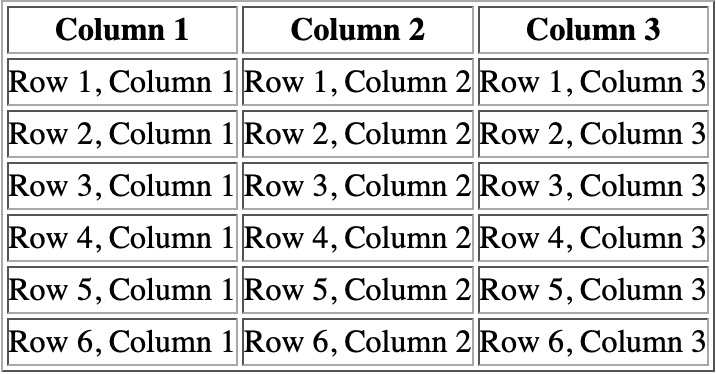
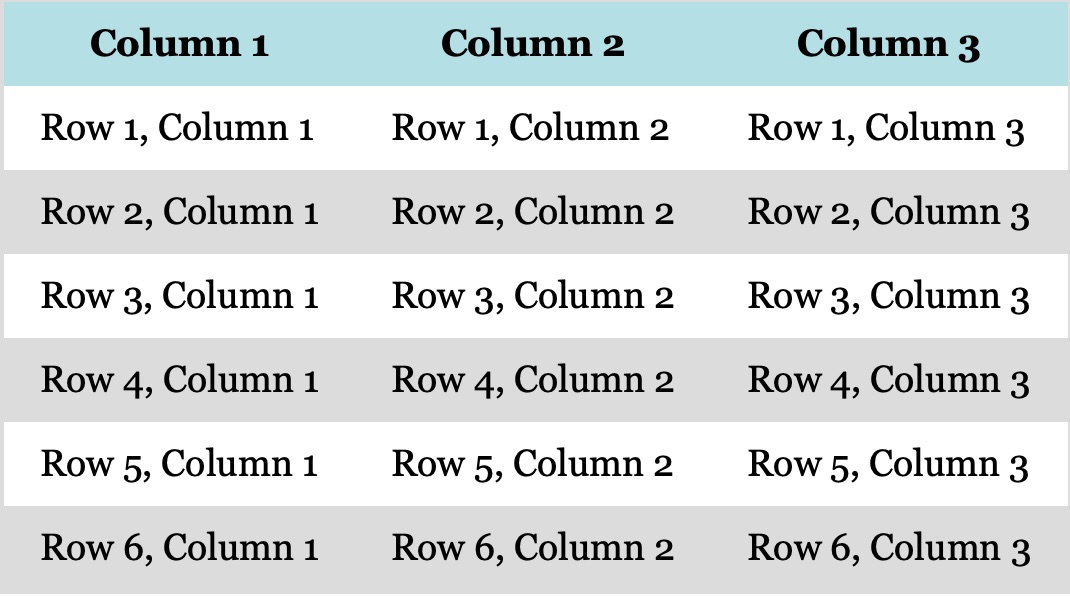
The default table style in most browsers is double borders between cells, cramped text within the cells, and Times Roman font. These default styles can all be modified to create a more visually pleasing and legible table.
| CSS for Tables | |
| style | example |
| center the table | margin: 0 auto; |
| place a border around the table | border: 1px solid darkgray; |
| place a drop-shadow under the table | box-shadow: 2px 3px 6px darkgray; |
| shade alternate rows | td:nth-child(odd) {[styles go here]}; or nth-child(even) |
| remove internal borders | border-collapse: collapse; |
| place an image as the background of the table | background: url(“image.jpg”); /* be careful of text contrast */ |