Main Body
Chapter 4 • Type
Specifying Type
The simplest way to specify type for your document is to use the font shorthand, which specifies (in the following order) bold, italic, point size, line leading (“line-height”), and font name:
font: 14pt/1.4em Georgia, serif;
Giving the Fonts to Readers
If your design includes a particular font, you cannot assume that all readers have the font on their systems. Instead, you should give the font to readers using one of two methods:
- link to the font file using the @font-face rule (code below) in the global/embedded or .css style
- link to a Google Font (fonts.google.com); this links to the font outlines on Google’s server and is the best way to assure your font is available
<style>
  @font-face {
    font-family: Georgia;
    src: url("Georgia.ttf"); /* links to the TrueType font Georgia;
  be sure to include the file in your document folder */
} other styles
</style>

/* Example of a link to a Google Font; the link would go before the <style> tag in the <head> */
<link href="https://fonts.googleapis.com/css2?family=Roboto:
ital,wght@0,100..900;1,100..900&display=swap" rel="stylesheet">
If you don’t give the font to readers and they do not have the font on their systems, the type will appear as the browser default, usually Times Roman. To make sure your document appears in the font you intended, preflight your page in multiple browsers and/or systems, before uploading to the web, and again after uploading. If you load a font with the @font-face rule and neglect to upload the font to your server, the font will likewise default to Times. (Times, incidentally, was designed for newspapers. The narrow characters maximum the number of words that can be printed with minimal paper and ink.)
The Font Stack, Formats, and Styles
As a precaution, you should include a list of additional fonts (“font stack”) in which you would like to see your text displayed, in the event your first choice doesn’t work for some reason. The font-stack should end in a generic specification, such as serif, sans-serif, monospace, cursive, or fantasy.
Font files acceptable for the web include TrueType (.ttf), OpenType (.otf), and Web Open File Format (.woff).
Font characteristics include color, type size (font-size), line leading (vertical spacing, line-height), italic (font-style), and bold (font-weight).
Many fonts are copyrighted by the font designer and/or publisher. When using a font for a commercial web site, it’s important to verify that you have a license to use the font. Google Fonts however are licensed for commercial use.
Design Effects with Fonts
Numerous print-inspired “interactive” features can be created with type, as in the figure below. These include type with gradient or photo backgrounds, drop-caps, callouts, sidebars, and typographic ornaments. To see how the effects were created, examine the document with your browser’s Web Inspector.
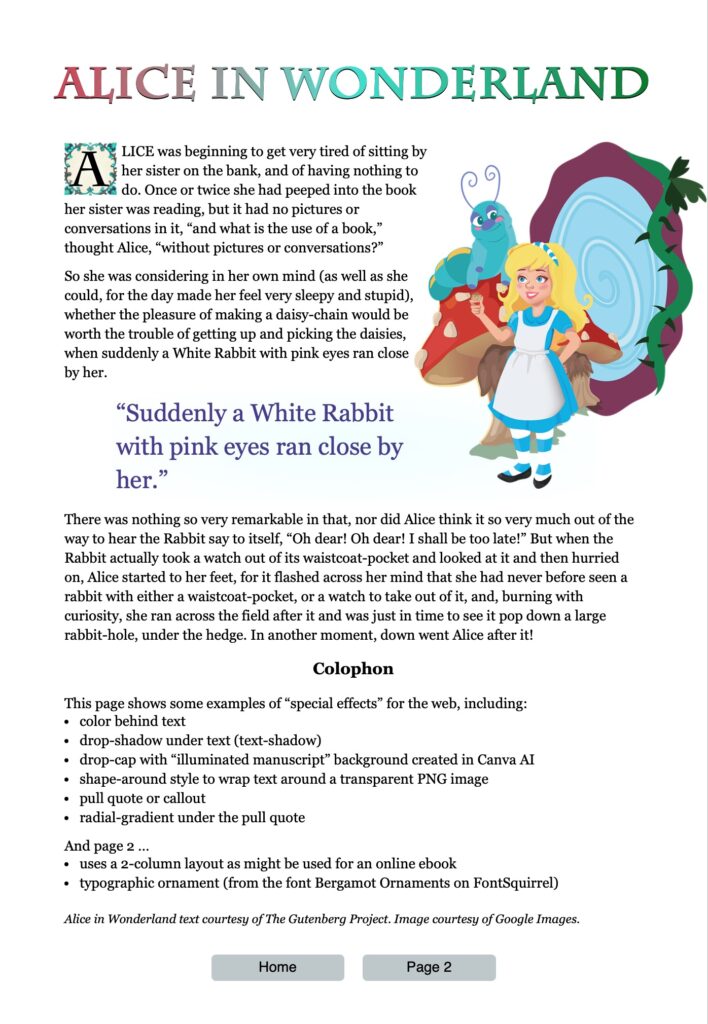
Reference Document
How-to Type: rich-adams.net > Completed Tutorials > Home > How-to Type (icon at bottom of page)